![513a98d6-f274-4016-a0a5-03ee71fe81b7.png]](https://support.tradewing.com/hs-fs/hubfs/513a98d6-f274-4016-a0a5-03ee71fe81b7.png?height=40&name=513a98d6-f274-4016-a0a5-03ee71fe81b7.png)
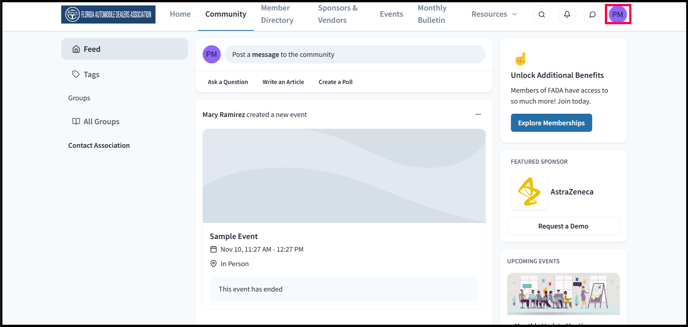
1) Click on your profile icon or initials on the upper-right hand corner
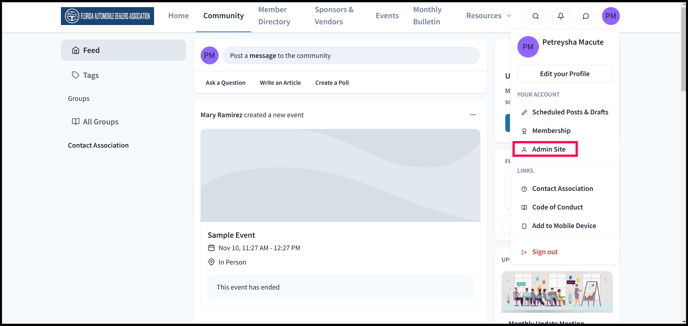
2) Go to the Admin Site
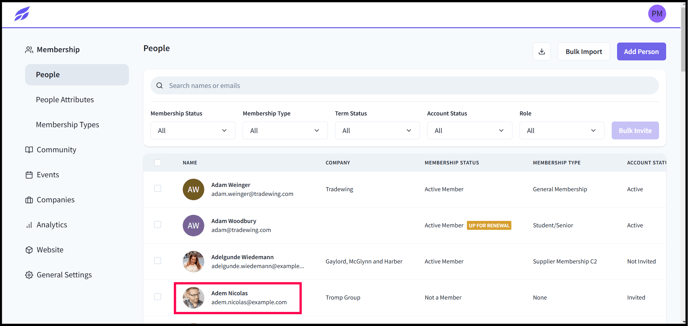
3) Select a user by clicking on their name
4) Click on the ellipses next to the "Account" box
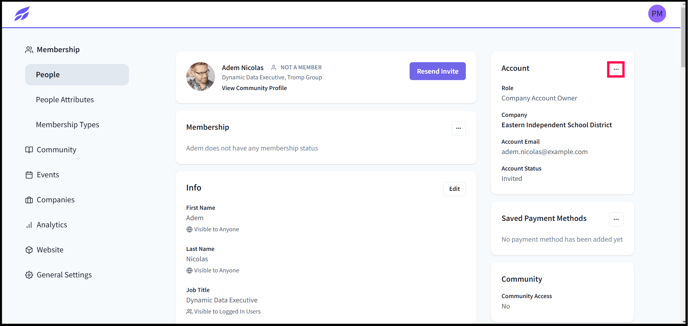
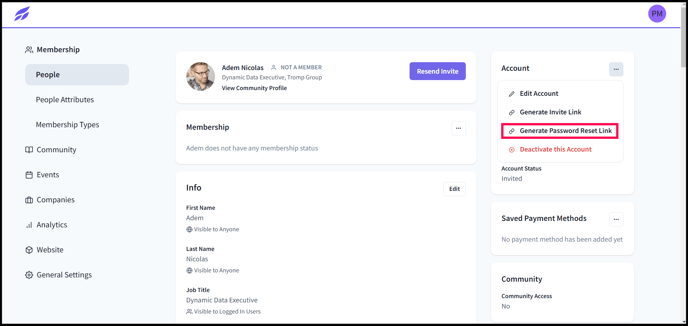
5) In the drop-down menu, select "Generate Password Reset Link"
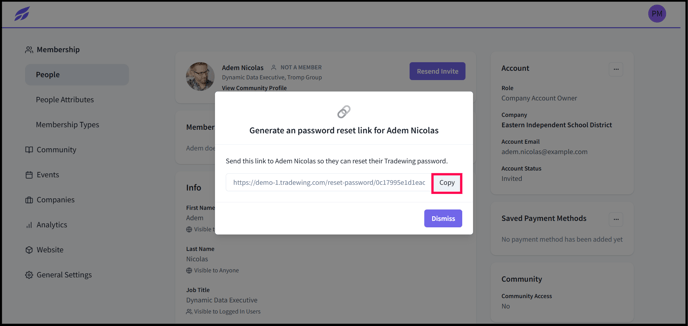
6) Click on "Copy" beside the generated link from the pop up box