
The Deleted AMS Contacts Handling feature helps admins identify and manage contacts who were previously synced to Tradewing but are no longer returned by the connected Association Management System (AMS). These contacts are automatically marked as Non-Members and identified as unresponsive AMS records after a successful and reliable sync.
Tradewing does not permanently delete the user's data. When an account is removed, the user's posts, comments, and historical activity remain on the platform, while their profile is removed from the contact listing and member directory.
Enabling Deleted AMS Contacts Handling
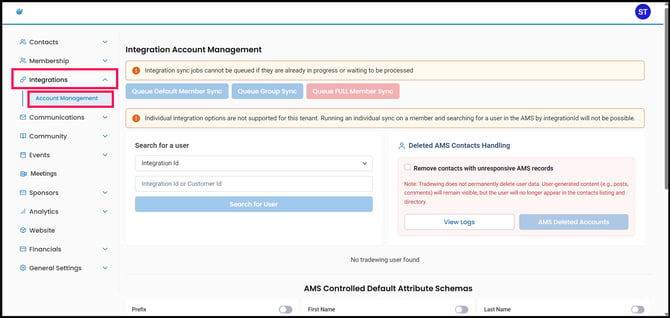
1. From the Admin Site, navigate to Integrations > Account Management.
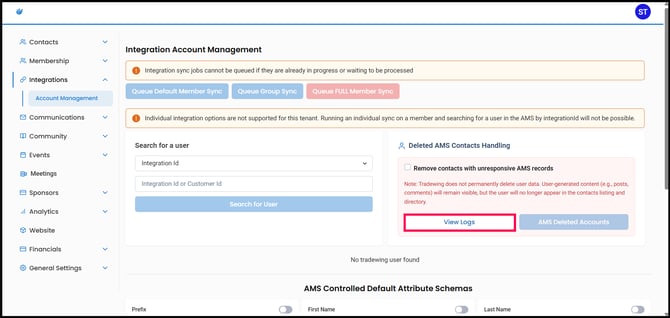
2. Under Deleted AMS Contacts Handling, select Remove contacts with unresponsive AMS records.
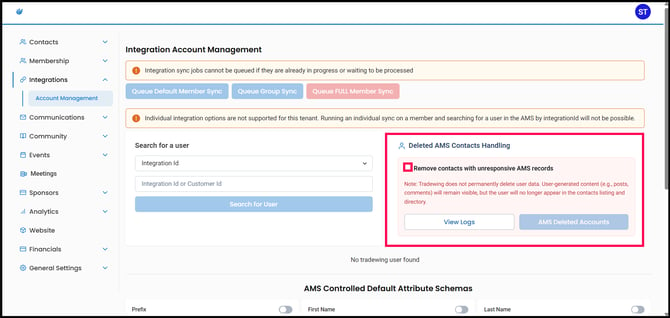
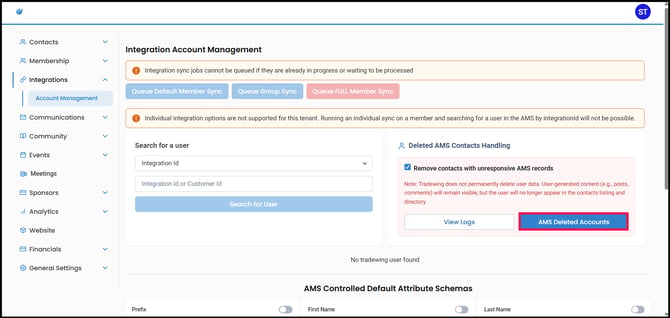
3. Once enabled, the AMS Deleted Accounts button will become available.
Enabling this setting provides access to the removal workflow. It does not determine whether a contact is changed to a Non-Member. Contacts that are no longer returned by the AMS are still marked as Non-Members after a successful and reliable sync, regardless of whether this setting is enabled.
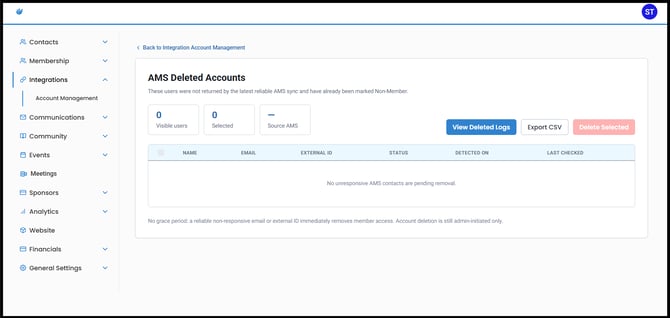
This page displays contacts who were previously synced with Tradewing but were not returned by the latest successful and reliable AMS sync. These users have already been marked as Non-Members.
Depending on the available records, you can review information such as the contact's:
- Name
- Integration ID
- Status
- Date detected
- Last checked
Viewing Change Logs
You can review changes made to the Remove contacts with unresponsive AMS records setting by clicking View Logs.
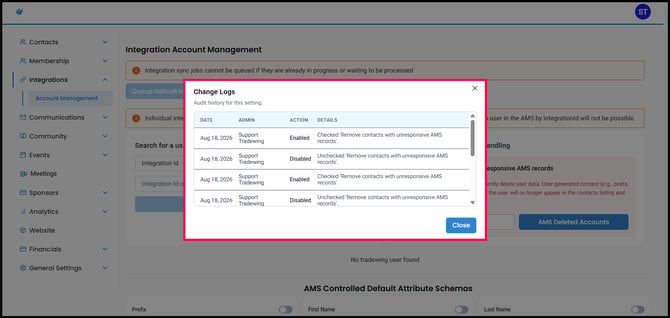
The Change Logs display:
- The date the change was made
- The admin who made the change
- Whether the setting was enabled or disabled
- Details about the action
This provides an audit history of when the Deleted AMS Contacts Handling workflow was enabled or disabled and by whom.
Removing Deleted AMS Contacts
Removing a contact from this page is a soft removal. Tradewing does not permanently delete the user's data or their previous community activity.
To remove contacts:
- From the AMS Deleted Accounts page, select the contacts you want to remove.
- Click Delete Selected.
- Review the confirmation message and confirm the action.
Once removed, the contact will no longer appear in the:
- Tradewing contact listing
- Member directory
- Member directory search
- Member site profile
Their existing posts, comments, historical activity, and audit records will remain on the platform.
Exporting Deleted AMS Contacts
To review the list outside of Tradewing, click Export CSV from the AMS Deleted Accounts page.
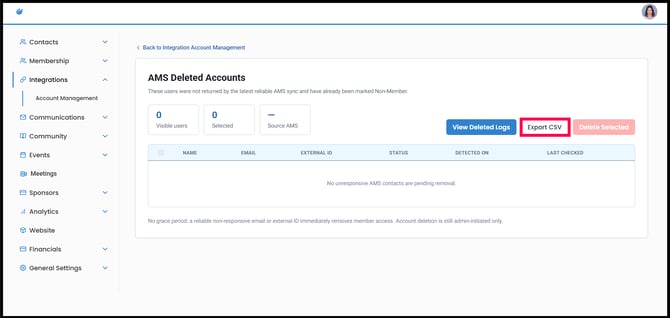
This will export the records currently available on the page, allowing admins to review the affected contacts before taking further action.
Viewing Deleted Logs
Click View Deleted Logs to review previous removal actions.
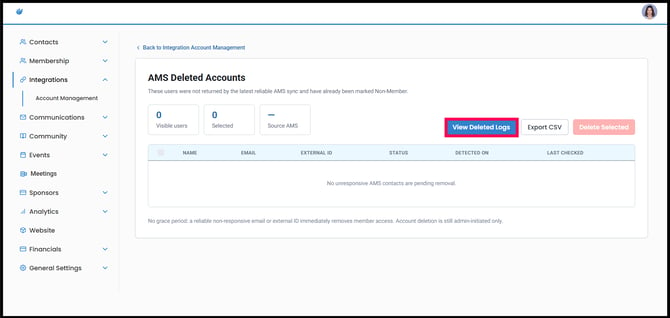
The Deleted Logs provide an audit history that includes information such as:
- The user who was removed
- The admin who performed the removal
- When the removal occurred
- The user's External ID
- The source AMS
Deleted Logs are separate from the Change Logs on the Account Management page. Change Logs track changes to the feature setting, while Deleted Logs track actual user removals.
What Happens During an AMS Sync?
After each successful and reliable AMS sync, Tradewing compares the latest AMS records with previously synced contacts. Matching is primarily based on the contact's External/Integration ID, with email used as a fallback.
If a previously synced contact is no longer returned by the AMS, Tradewing will:
- Mark the contact as a Non-Member
- Mark the contact as an Unresponsive AMS Record
- Add the contact to the unresponsive AMS records dataset
Tradewing will not process contacts as unresponsive if the AMS sync fails or returns incomplete data.