
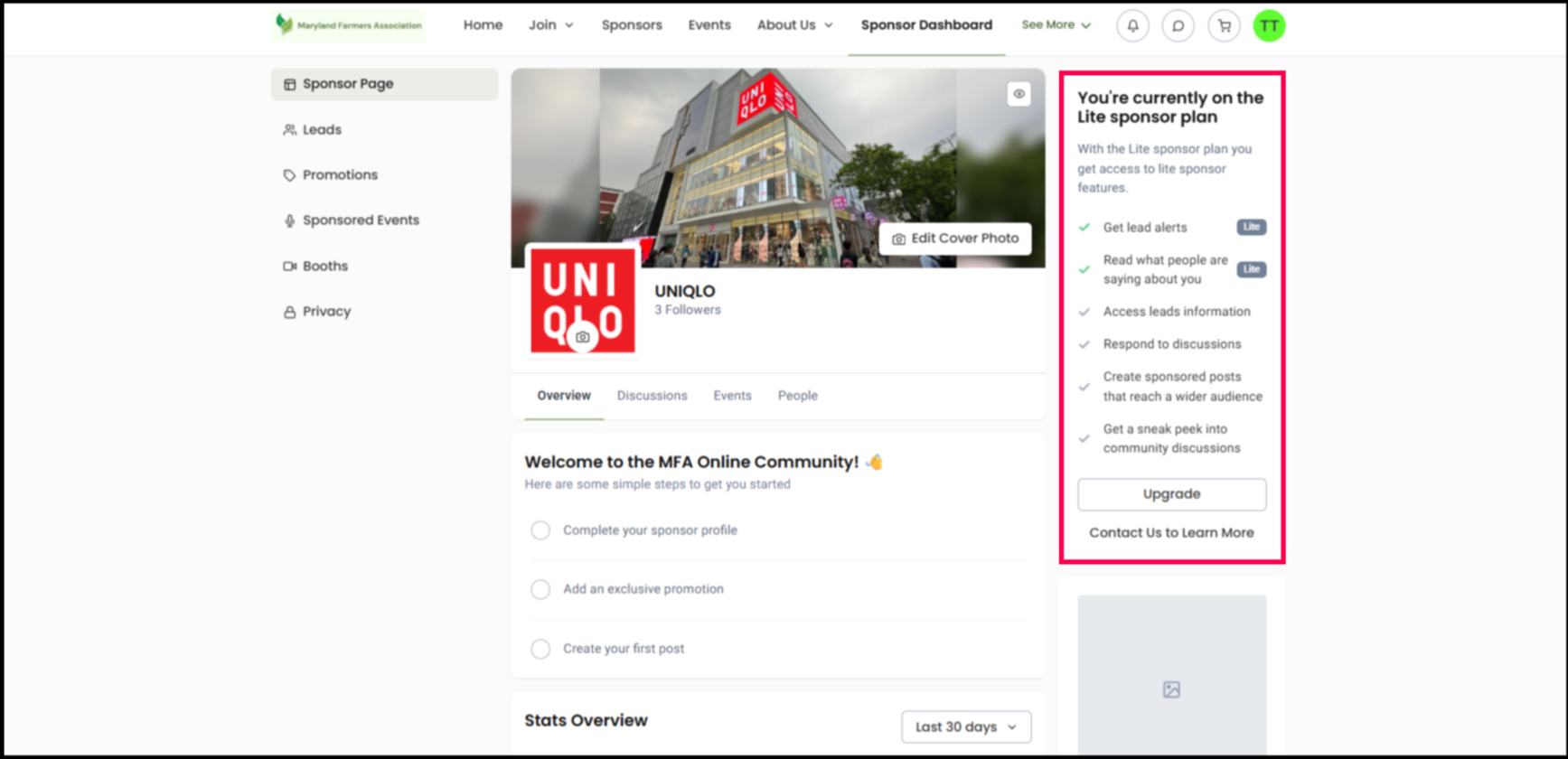
By default, sponsors can see upgrade prompts in their sponsor dashboard that highlight the benefits of moving to a higher or paid tier. These prompts are designed to help you promote additional sponsorship opportunities, increase non-dues revenue, and make it easy for interested sponsors to inform you.
However, if your organization prefers to manage sponsorships in a more controlled way, does not offer multiple tiers, or simply does not want to display upsell messaging within the sponsor experience, you can turn off these upgrade prompts at any time. When disabled, all upgrade messaging and related interface elements are removed from the sponsor dashboard.
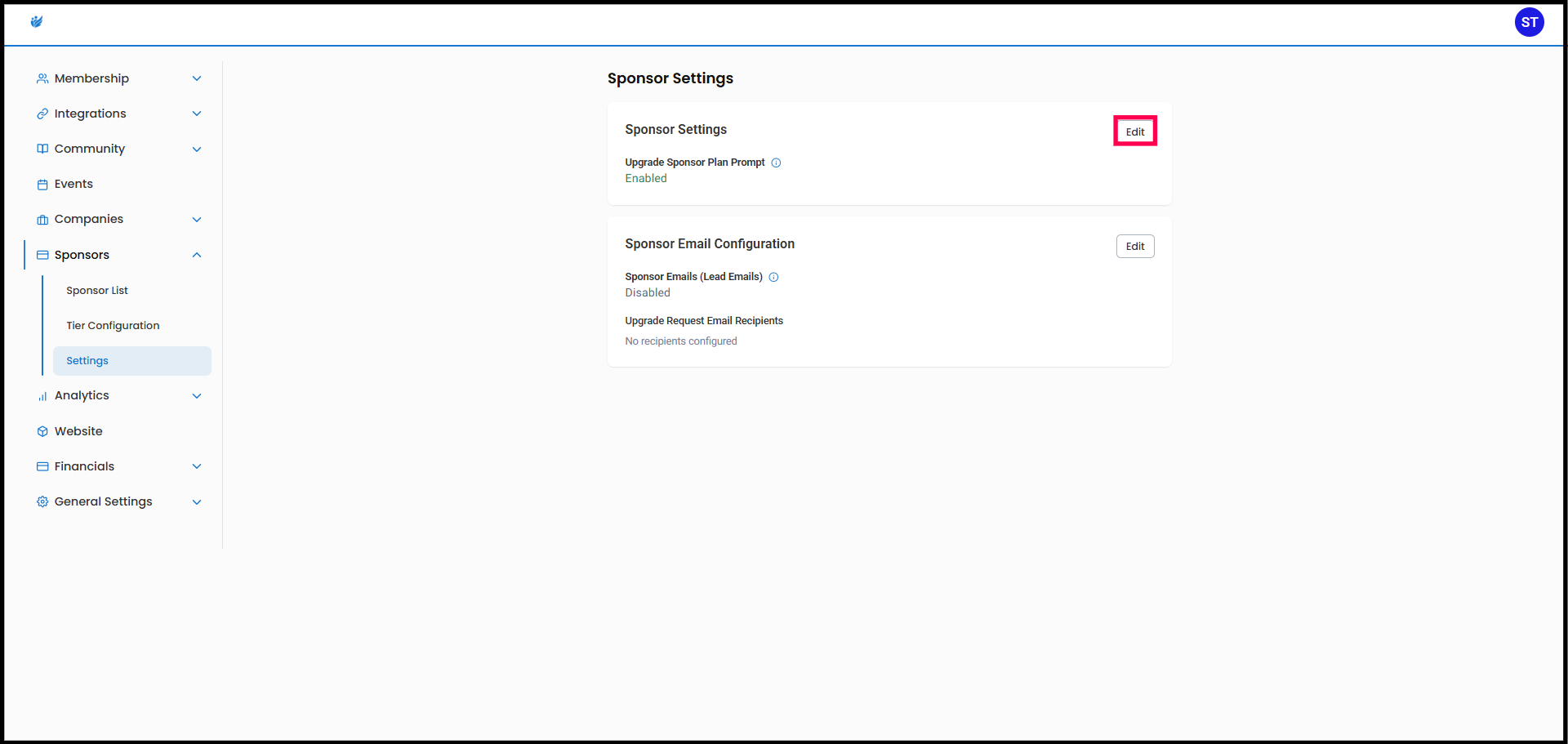
Where to Configure
Go to:
Sponsors → Settings
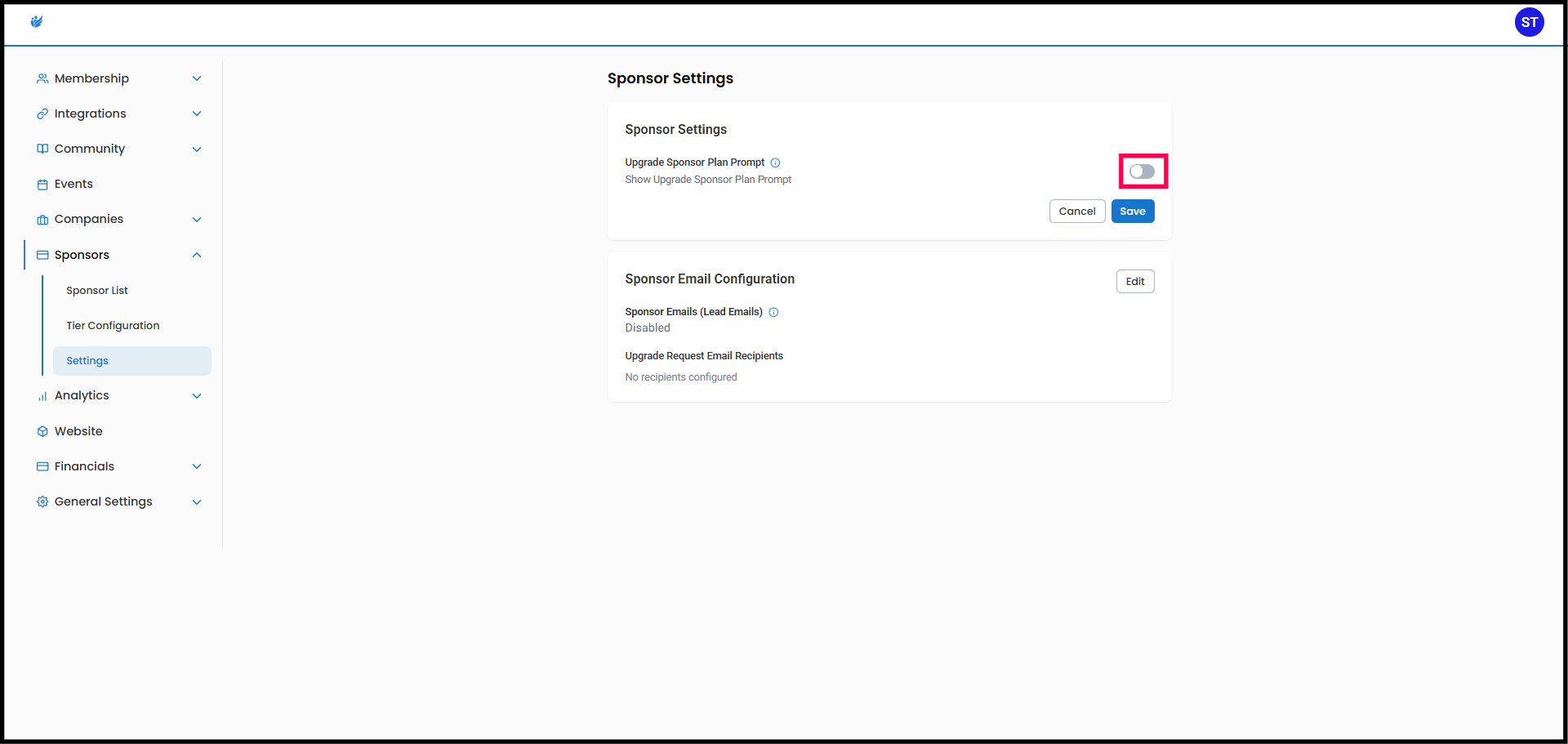
Show Upgrade Prompt to Sponsors
- ON: Sponsors see upgrade options
- OFF: Upgrade prompt is hidden
What Happens When Disabled
- Upgrade UI is fully removed
- No empty space or layout issues
- Sponsors will not see upsell messaging
When to Use This
- You manage upgrades manually
- You don’t offer tier upgrades
- You want a simplified sponsor experience